
ParentSquare
John Adams Academy uses ParentSquare as our communication platform. Once scholars are fully enrolled in Aeries (Student Information System) families will automatically receive communications through ParentSquare. Parents/guardians will need to set up a password on their account if they would like to sign up to volunteer or to comment/communicate through ParentSquare.
You are in control of how many emails you get from the Academy. Log into your ParentSquare account to set your Notifications Settings preference.
- Log in
- Go to the right hand corner and click your name
- Select My Account from the dropdown menu
- On the left side of the page, select Notification settings >

OFF: You will receive no notifications from the Academy except for emergency school alerts. You will need to log into ParentSquare to read messages sent from the Academy and your scholar's teacher.
INSTANT: You will receive notifications as they are sent from the Academy and your scholar's teacher.
DIGEST: You will receive one email, sent at 6pm listing all communications that were sent in the last 24 hours from the Academy or your scholar's teacher.
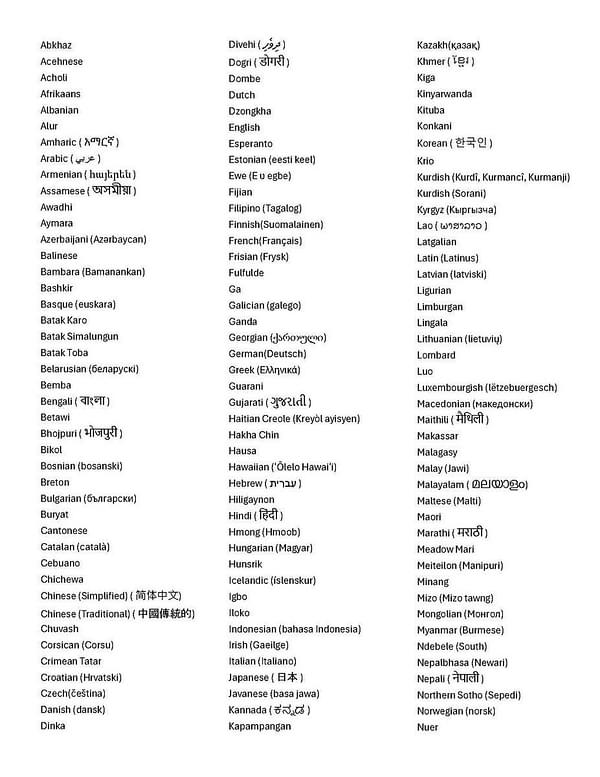
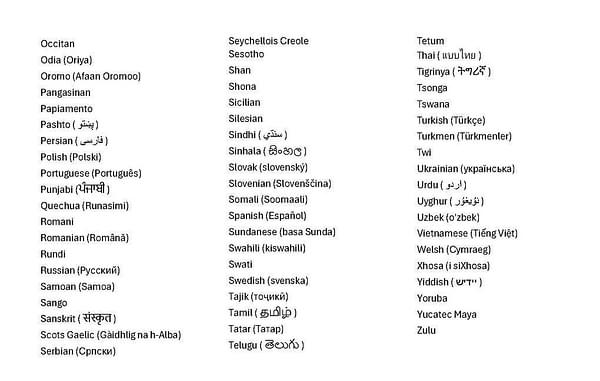
ParentSquare has several languages available for families that will translate messages sent from the Academy. You can change your language settings by doing the following:
- Log in
- Go to the right hand corner and click your name
- Select My Account from the dropdown menu
- On the left side of the page, see Language Settings and note your current setting is listed directly below.
- To change the setting, click on Language Settings
- Select preferred language from the drop down and click SAVE.
- Available Languages are listed below
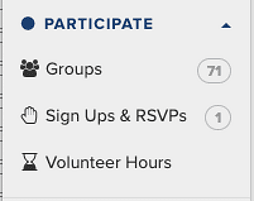
You may have read from a post about joining a group, or you remember reading about signing-up, but can't find the post in your feed. Wondering where to log your volunteer hours? ParentSquare has it on the left side of your home page under Participate.
As you hover over the word Participate, the selections will drop down.
Update your contact information at any time.
- Log in
- Go to the right hand corner and click your name
- Select My Account from the dropdown menu
- On the left side, click Edit Contact Info